COMICWAVESign inSign up
Home / Utilities / Comic Reading Order Checker
Free utility · Numbered panel flow

Comic reading orderchecker.

The comic reading order checker numbers a rectangular page grid in left-to-right or right-to-left order. Use it to test the first panel, row flow and manga direction before drawing, then download the order as a simple review note.

No card required · every step is previewed before it costs credits
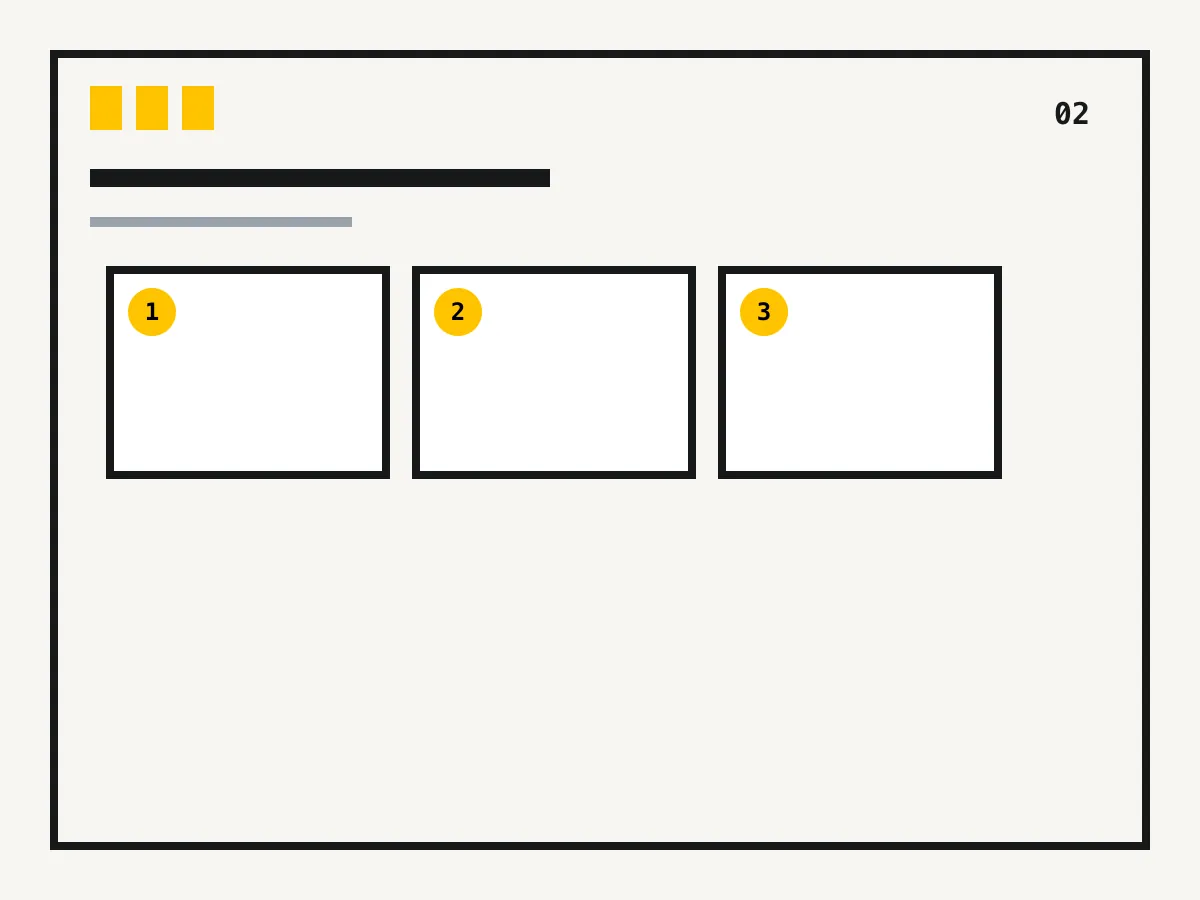
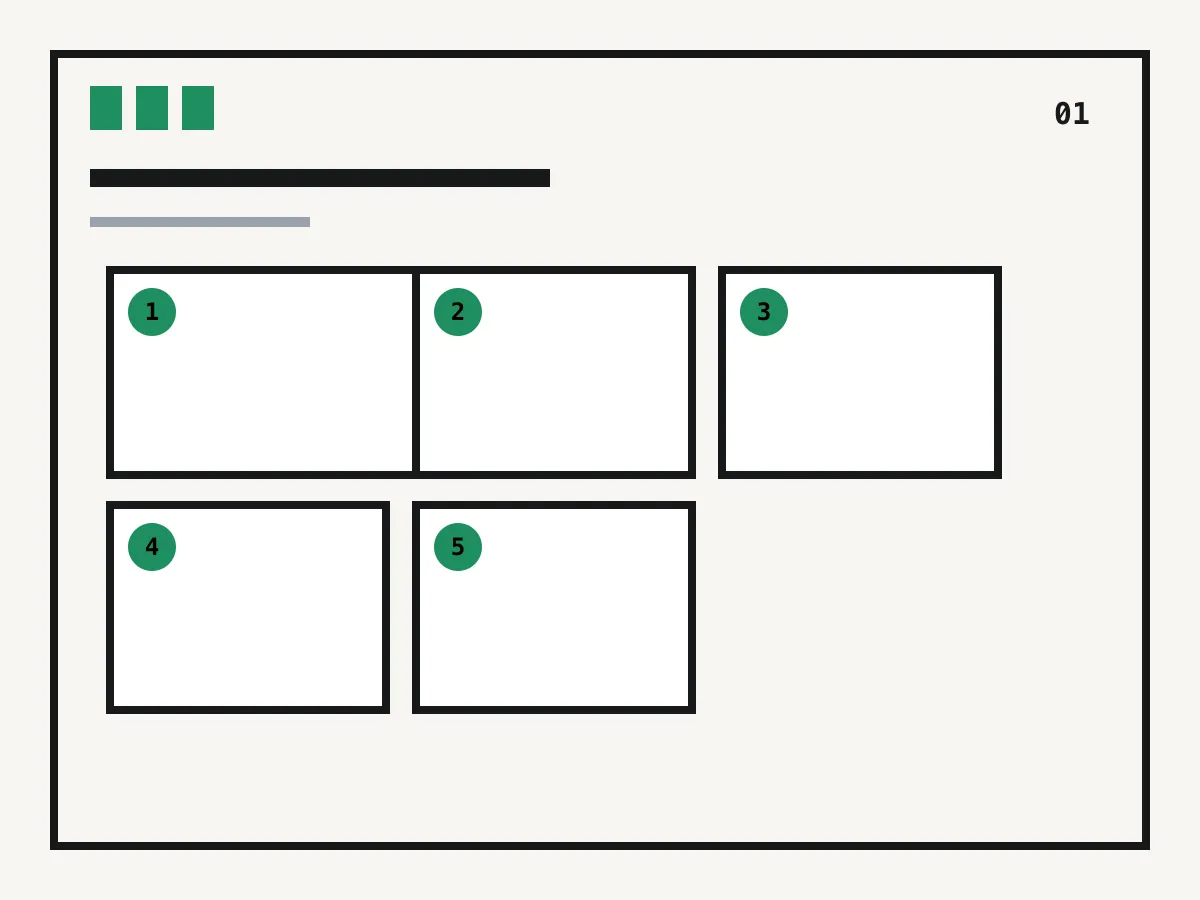
Comic grid numbered from left to right01
Manga grid numbered from right to left02
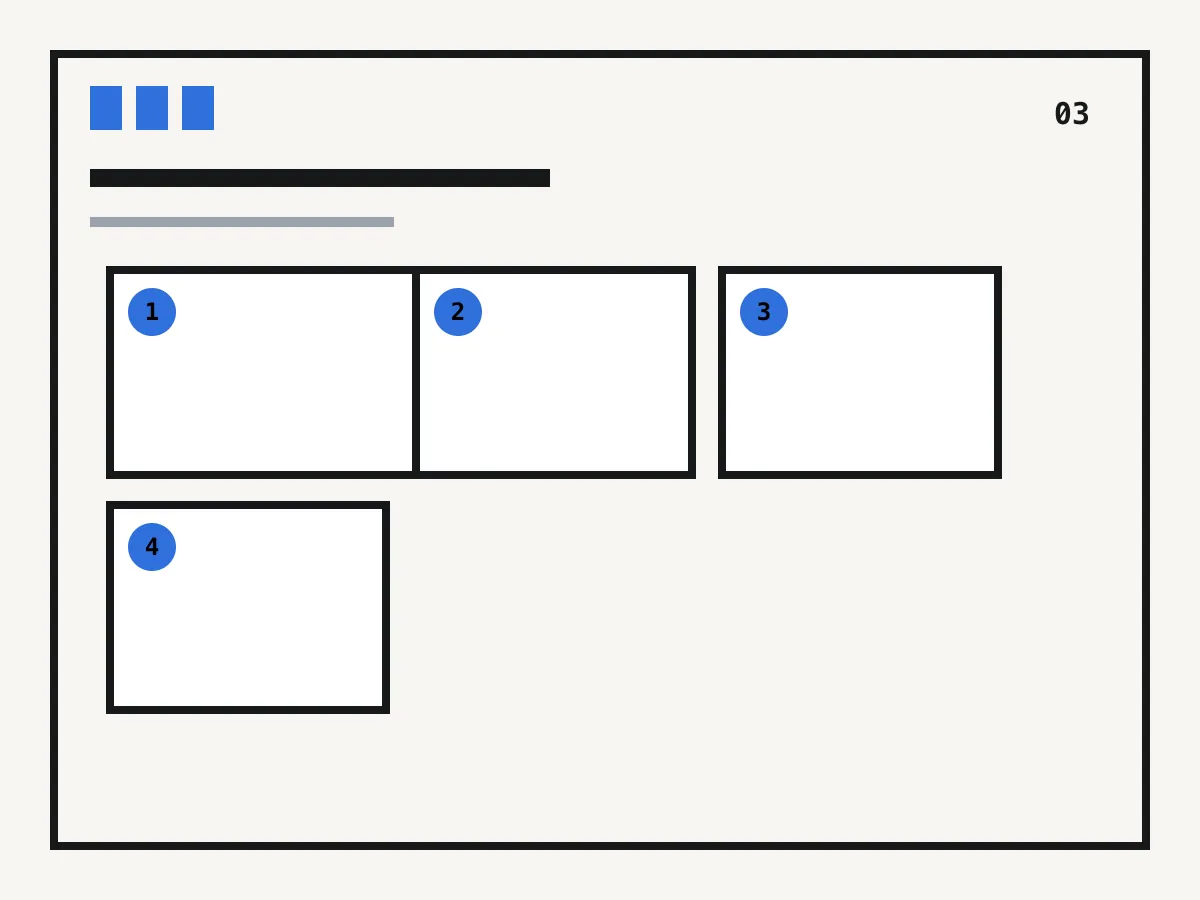
Comic layout diagram with a tall panel03
LTR and RTL flow · numbered preview · downloadable order

Works in your browser

Check panel reading order

See how a simple grid reads in left-to-right or right-to-left order. Use the numbered preview to spot jumps before drawing.

1
2
3
4
5
6

Order check

Grid
1–8 rows and columns
Direction
Left to right or right to left
Sequence
Numbered by row
Purpose
First-pass rectangular-grid review
Output
On-page preview
Download
Plain-text panel order

What you get

Find the first panel

A reader should not need to search for the entry point.

Check each row

Numbering reveals when direction changes or an eye must jump across the page.

Test manga direction

Reverse row order without mentally renumbering every cell.

Share a review note

Download the order so collaborators can discuss the same panel numbers.

How it works

01
Match the page grid

Enter the page's rows and columns and choose its intended reading direction.

02
Trace the numbers

Follow the sequence at normal viewing size and note any ambiguous transition.

03
Revise the layout

Change panel size, placement or lettering when the intended next step is not obvious.

Reading-flow situations to test

These diagrams cover simple grids and common complications. Complex pages still need a human read-through at final size.

Why creators keep control

See exactly what stays under your control. Customer quotes will appear here only when we have permission to publish them.

Product capability
The workflow stays reviewable

ComicWave keeps the comic reading-order plan plan, generated panels and lettering as separate stages. You can review the structure before drawing and replace one weak result without discarding accepted work.

Product capability
The examples are clearly identified

The visual examples on this page are original concept illustrations made for this topic. They are not customer work, benchmark results or a promise that every generated output will match them.

How we verified this
Written by ComicWave product team
Reviewed by ComicWave content review on 2026-09-04
Evidence reviewed: ComicWave product implementation · ComicWave editorial keyword brief · Page-specific original concept illustrations

Why this beats one big prompt

What you needOne image modelComicWave
The same face in every panelRe-rolls until it looks closeApproved sheet attached to relevant panels; outputs remain reviewable
Fixing one bad panelRegenerate the whole imageOne panel, one job, siblings untouched
Changing a line of dialogueRedraw and hopeFree — text is vector, not pixels
Reading order and guttersWhatever the model paintsA real layout you can switch for free
Print at 300 dpiUpscale and prayPage size, trim, bleed and a validator
Knowing the cost firstPay per attemptReserved, settled, released — shown up front
Free 50 credits · Creator $24 · Studio $72Credits are reserved before a job and released if it fails.See pricing →

Questions

Related tools

Same category, the next step in the workflow, and something to read.

If the path needs explaining, the page needs another pass.

Plan a readable pageSee pricing