COMICWAVESign inSign up
Home / Guides / Character Consistency in AI Comics
Guide · Control visual drift

Character consistencyin AI comics.

Consistent characters in AI comics come from a controlled workflow: define stable identity anchors, approve a compact reference set, separate permanent traits from scene state, label every reference, and review each new panel before continuing.

No card required · every step is previewed before it costs credits
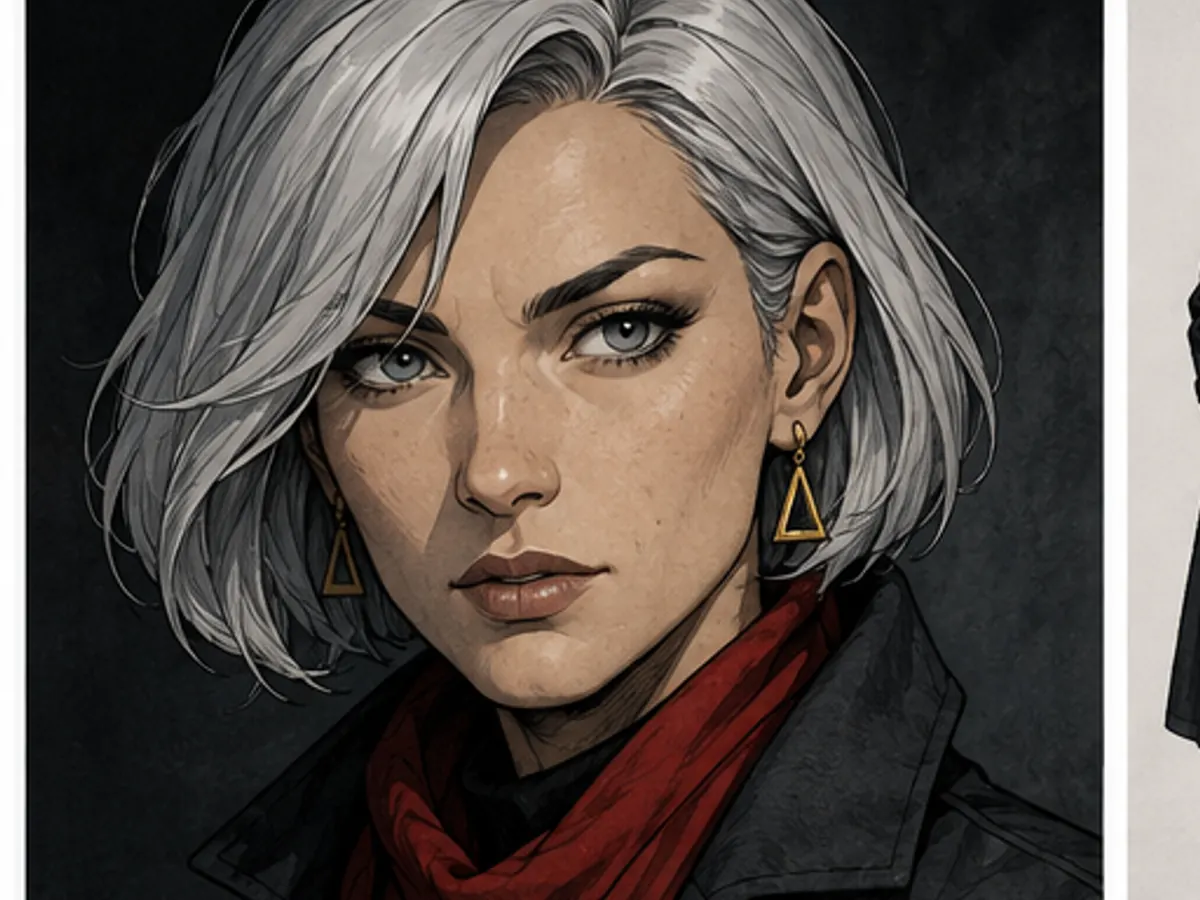
Close portrait of a silver-haired detective with a red scarf01
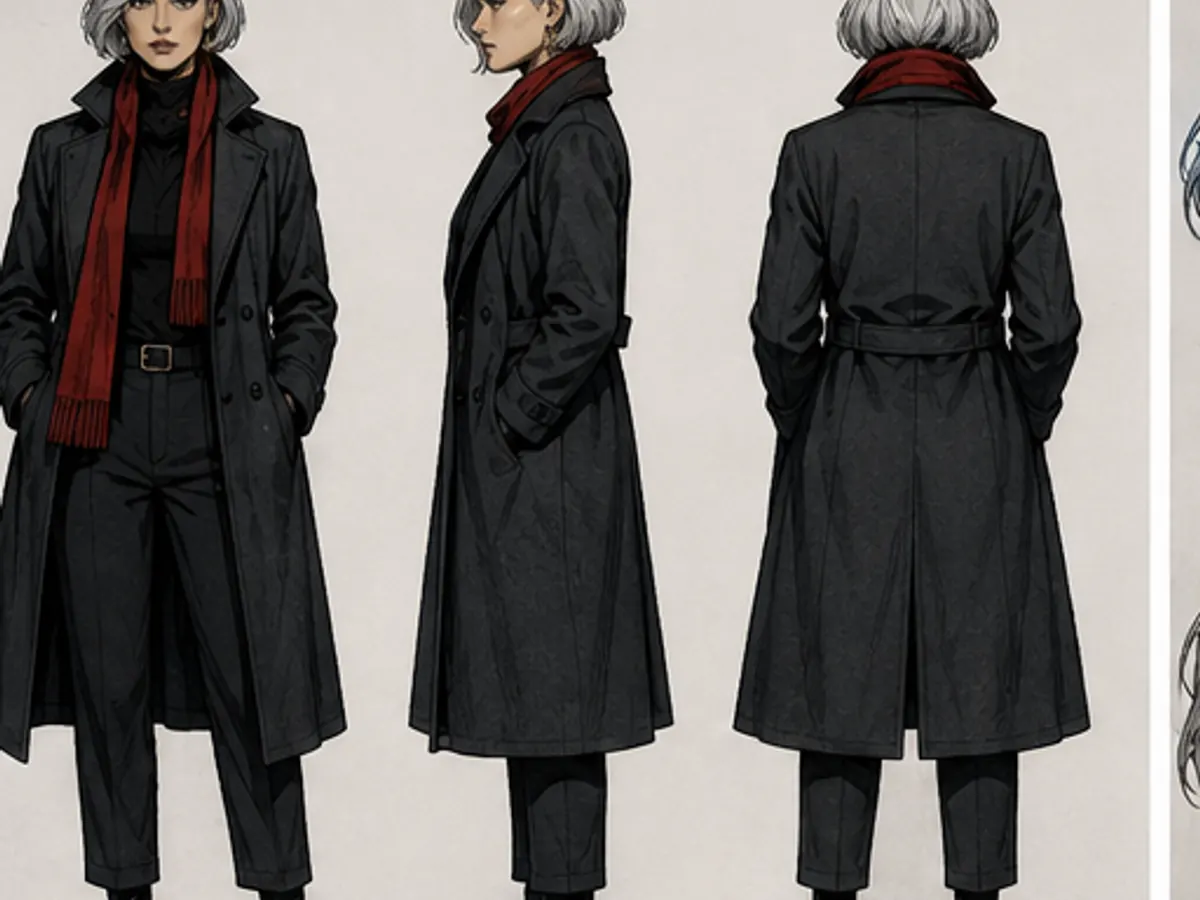
Front, side and back views of the same detective02
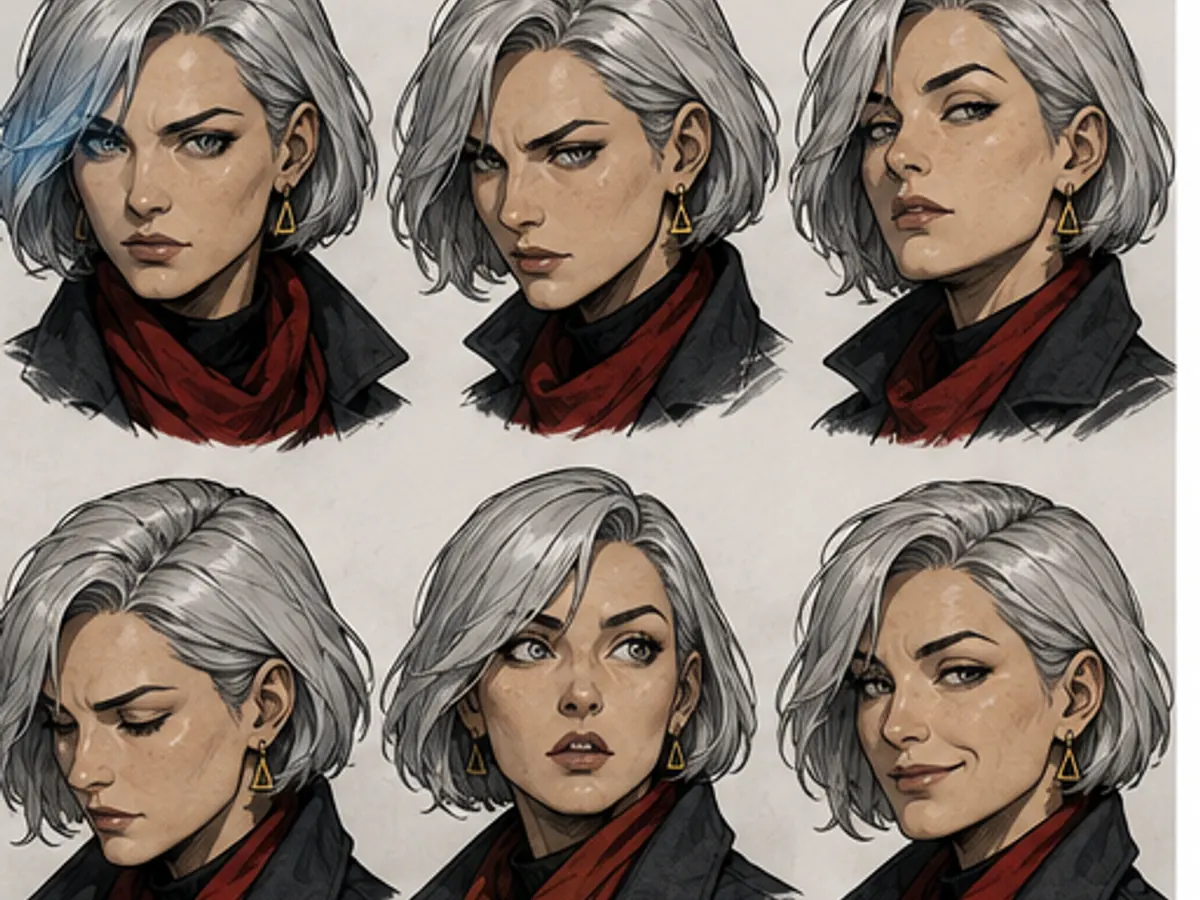
Expression study of the same detective03
Identity anchors · turnaround · expressions · outfit · scene check

Try it here

Fast Comic planning is free — you approve before anything is drawn
Plan with Fast Comic · free

Consistency checklist

Face
Shape, features, age cues and marks
Silhouette
Height, build, hair and posture
Signature
Two or three recognisable details
Wardrobe
Base outfit with explicit variants
State
Temporary props, weather and damage
Review
Compare and correct every new panel
01

Define identity

Write the few traits that must survive every scene: face shape, age cues, build, hair and a small number of signature details. Avoid mixing permanent identity with a temporary outfit.

Describe observable facts rather than personality labels. A reader can see a triangular earring or uneven fringe; they cannot see that a person is secretly brave.

In ComicWave: Store permanent traits on the cast member and scene changes in story state.
02

Build evidence

Approve a clean portrait and turnaround before action scenes. Add expressions and important wardrobe variants only when they are genuinely useful.

Label references by purpose. A model and a human reviewer can reason about ‘face anchor’ and ‘winter coat’ more reliably than an unnamed folder of images.

In ComicWave: Attach only relevant, labelled references to each panel job.
03

Control every scene

Review each panel for face, silhouette, hair, costume and signature details. Also check story state: the right prop, weather, damage and time of day.

When drift appears, correct that panel before generating more dependent work. Keep accepted versions so a repair cannot erase good surrounding art.

In ComicWave: Use panel-level revision and version history to contain corrections.

What you get

Use fewer, stronger anchors

A short precise identity brief is easier to preserve than a paragraph of competing details.

Approve useful angles

A portrait, turnaround and expression range cover more story situations than many similar headshots.

Track scene state

Record temporary clothing, props, injuries and weather so they appear only when the story requires them.

Stop drift early

Correct the first inconsistent panel before later scenes copy its changed face or costume.

How it works

01
Write identity anchors

Choose the stable facial, body, hair and signature traits a reader should recognise at a glance.

02
Approve references

Create and review a compact sheet that covers angles, expressions, clothing and important props.

03
Audit each panel

Compare new art with the reference, log temporary changes and replace drift before continuing.

Six checks that reduce character drift

This original detective study demonstrates the reference evidence a production workflow can use. It is an educational illustration, not a claim of perfect generation.

Why creators keep control

See exactly what stays under your control. Customer quotes will appear here only when we have permission to publish them.

Product capability
The workflow stays reviewable

ComicWave keeps the character consistency workflow plan, generated panels and lettering as separate stages. You can review the structure before drawing and replace one weak result without discarding accepted work.

Product capability
The examples are clearly identified

The visual examples on this page are original concept illustrations made for this topic. They are not customer work, benchmark results or a promise that every generated output will match them.

How we verified this
Written by ComicWave product team
Reviewed by ComicWave content review on 2026-09-04
Evidence reviewed: ComicWave product implementation · ComicWave editorial keyword brief · Page-specific original concept illustrations

Why this beats one big prompt

What you needOne image modelComicWave
The same face in every panelRe-rolls until it looks closeApproved sheet attached to relevant panels; outputs remain reviewable
Fixing one bad panelRegenerate the whole imageOne panel, one job, siblings untouched
Changing a line of dialogueRedraw and hopeFree — text is vector, not pixels
Reading order and guttersWhatever the model paintsA real layout you can switch for free
Print at 300 dpiUpscale and prayPage size, trim, bleed and a validator
Knowing the cost firstPay per attemptReserved, settled, released — shown up front
Free 50 credits · Creator $24 · Studio $72Credits are reserved before a job and released if it fails.See pricing →

Questions

Related tools

Same category, the next step in the workflow, and something to read.

Consistency is a review system, not a magic prompt.

Build a reference setSee pricing